Congratulations! You’ve made it to the video interview stage!
For some of you, this may be the final stage of your interview, particularly if this role is remote. For others, it might be the first time speaking to the company.
Whatever the case, remember, the company has chosen to interview you for this opportunity, so they see your potential!
Your goal now is to market yourself to the prospective employer and show you are the right person for the job.
To leave a great first impression, it takes more than just a strong resume. You need to show confidence, act professionally, and be well prepared, just like you would if you were meeting face to face. In this blog, we will explore what a video interview entails, some tips to see you through it and some frequently asked questions.
What Is a Video Interview?
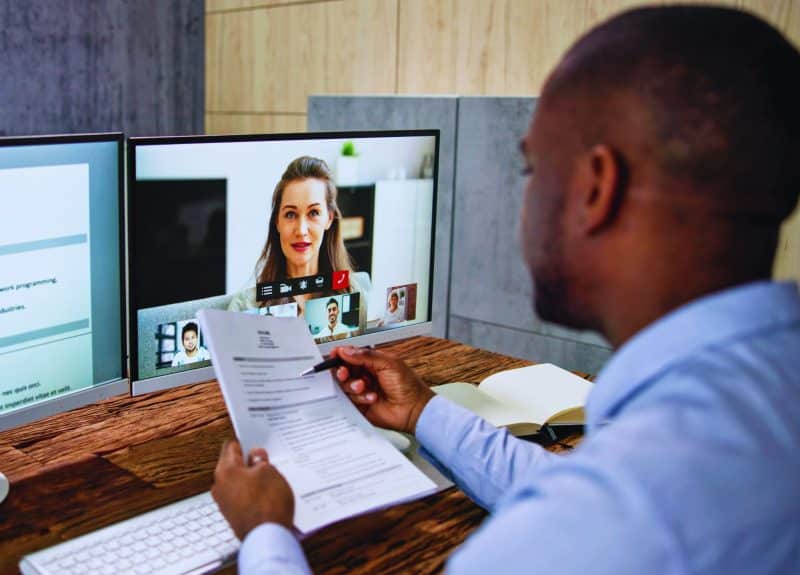
It is a job interview conducted using video conferencing tools like Zoom, Skype, Google Meet or Microsoft Teams. It typically comes in two forms:
Live video interview: A real-time interaction with the interviewer or panel of interviewers.
Pre-recorded interview: You record your answers to a series of written questions, often with a time limit and no one on the other side watching in real-time.
Both formats are increasingly popular with graduate employers and major companies looking to streamline their recruitment process. In fact 81% of recruiters and hiring managers now use video interviews as part of their hiring process and they can be easier than arranging a face-to-face and in-person interview. Both can also be done via your mobile phone or computer
Top 14 Online Interview Tips to Stand Out
Doing well in a video interview takes more than just good answers. These 14 tips will help you look professional, stay confident, and stand out whether it’s live or pre-recorded.
Know the Role Inside and Out
Re-read the job spec and your CV. Be ready to explain why your skills and experience match the role. It’s common for employers and recruiters to ask how you can add value to the team, so have an answer that’s sharp and relevant.
Research the Company Culture
Don’t stop at the corporate slogan. Look through their social media, recent news, or Glassdoor reviews to make sure you know their values and how they present themselves.
Filter Your Social Media
Make sure you audit your social media and if you feel you need to, set your profile to private so nothing too unprofessional can be filtered back to your potential employer
Practice Common Interview Questions
Prepare for questions and competency-based scenarios. Practice questions aloud, refine your answers, and avoid long-winded responses. It is great to have a trial run and get advice before the real thing.
Get Your Tech in Order
Ensure a minimum internet connection speed of 1mbps. Test your connection, microphone, and camera the day before so that there are no technical hiccups during the interview.
Use a Clear Microphone
A poor mic can take away from an otherwise strong interview. If you have one, use a dedicated headset to reduce background noise and keep your voice clear. Normally, ones on your laptop that are built in will do the trick too.
Dress for a video interview like you would for an in-person meeting, so you are in the zone.
Set Your Camera at Eye Level
Set your camera so it’s aligned with your eyes. Use books to prop your laptop if needed, as having good eye contact shows you’re engaged during the process.
Prepare Your Interview Space
Find a quiet area with good natural light. Tidy up or blur your background if necessary.
Eliminate Interruptions
Before the interview, disable updates, turn off notifications, and alert those around you to avoid background noise and surprises to remain professional
Log in Early
Be 5–10 minutes early as. It gives you time to relax and solve any tech issues, and there’s no slight delay on sound before you’re live.
Communicate Clearly and Confidently
Speak slowly, avoid filler words, and pause when needed. If something goes wrong, stay calm and carry on.
Watch Your Body Language
Sit up straight, avoid slouching, and smile naturally. Avoid looking away from the screen, as your body language can give a lot away
Prepare Questions for the Interviewer
Show initiative by preparing smart questions to ask at the end of the interview, as most interview formats will allow you to ask questions yourself on the company or
How Mexa Solutions Can Help
Preparing for any interview can feel overwhelming, and even more so when you need to record yourself. That’s where Mexa Solutions can help. Our team works closely with candidates to make sure you’re not just ready but confident.
From refining your CV to offering tailored interview preparation, we guide you through each stage of the recruitment process. Whether you’re stepping into a live video interview or tackling a pre-recorded one, we’ll make sure you’re equipped to deliver your best.
Nail Your Virtual Interview Today
Employers will be looking at how well you prepare, communicate, and present yourself. With these tips, you’re now equipped to impress at every stage, from setting up your webcam to answering questions with impact. Whether your interview takes place on Skype or Zoom, or you record your answers on a pre-recorded platform, preparation is what sets you apart.
Take control of your career journey because your next great opportunity might just be one video call away.
FAQ’s
What are some common technical issues
Technical hiccups often include poor internet connection, unclear audio, or video lag. To avoid these, test your internet speed (at least 1mbps), use a clear microphone or headset, and log in early to troubleshoot any problems before the interview starts.
How long do pre-recorded video interviews usually last?
Pre-recorded interviews often have a time limit for each question, typically between 1 to 3 minutes. Overall, the full session might last 20 to 30 minutes, depending on the number of questions. It’s important to practice concise, focused answers.